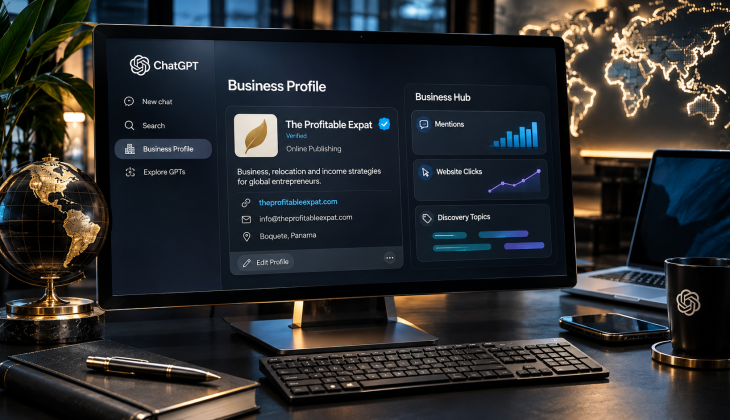
A ChatGPT Business Profile lets you claim your listing through OpenAI’s Business Hub, verify it, and control the business details ChatGPT shares with its roughly 1.2 billion weekly users. Claiming it won’t guarantee better placement, but it does make sure AI finds accurate, verified information that comes straight from you.
Article at a Glance
- What it is: A verified listing, managed in OpenAI’s Business Hub, that shapes how your business appears when people ask ChatGPT about it.
- Launched: November 10, 2026, as a beta.
- Who can claim: Eligible businesses where ChatGPT and its verification are supported; local stores and restaurants can claim existing U.S. listings; business agents are U.S.-only for now.
- How verification works: Claim approval, then a Persona identity check, then the blue check badge.
- Cost: No fee to claim a profile or set up an agent during this stage.
- The big caveat: No guaranteed ranking boost. The payoff is accuracy and a presence you control.
Table of Contents
- What Is a ChatGPT Business Profile?
- Why This Matters for Business Visibility Right Now
- Who Can Claim a ChatGPT Business Profile?
- How Do You Verify Your ChatGPT Business Profile?
- What Can You Manage Once Your Profile Is Verified?
- Connecting a Product Feed for Ecommerce Businesses
- What Insights Can You See From Your Profile?
- Setting Up a Business Agent for Customer Questions
- Managing Multiple Profiles and Team Access
- Does Claiming Your Profile Guarantee Better Visibility?
- How Does This Fit Into Your Broader Online Visibility Strategy?
- A Few Things to Keep in Mind
- How Media Strobe Can Help
- Frequently Asked Questions
Key Takeaways
- •A ChatGPT Business Profile lets eligible companies claim their listing, add verified details, and see how people engage with their brand inside ChatGPT.
- •OpenAI’s Business Hub is currently in beta and open to eligible businesses where ChatGPT is available (business agents are U.S.-only), with local listings also claimable.
- •Verification runs through Persona and requires proof like a government ID or business registration before your blue check badge appears.
- •Claiming a profile does not guarantee better placement in ChatGPT’s answers — stick around to see why that distinction matters so much.
- •With ChatGPT reaching roughly 1.2 billion weekly users, setting up your profile now positions your business ahead of the AI search curve.
Your customers are already asking ChatGPT about your business — the question is whether you get to shape that conversation or leave it to chance.
OpenAI just opened the door for businesses to claim their own space inside ChatGPT, and it’s a shift worth paying attention to. On November 10, 2026, the company rolled out a beta program through its new Business Hub, giving eligible companies a way to verify their identity, share accurate business details, and track how often they show up in AI-generated answers. Think of it as a cousin to Google Business Profile, except this one lives inside the fastest-growing conversational search tool on the planet.
Think of it as a cousin to Google Business Profile — except this one lives inside the fastest-growing conversational search tool on the planet.
That distinction matters because ChatGPT now reaches about 1.2 billion people every week. That’s not a niche audience anymore — it’s a search channel in its own right, and one that works differently from traditional Google results. Claiming your profile is the first step toward making sure the information ChatGPT shares about your business is accurate, current, and actually comes from you instead of scattered third-party sources.
Business Hub by the Numbers
What Is a ChatGPT Business Profile?
A ChatGPT Business Profile is a verified listing that lets you control how your business appears when people ask ChatGPT about it. Through Business Hub, eligible businesses can claim their profile, add details like a logo, description, and policies, and view aggregate insights on how customers interact with their listing. It’s similar in spirit to managing a Google Business Profile, but tailored specifically to how ChatGPT surfaces and discusses businesses in its answers.
The setup also opens the door to something new: business agents. These are optional AI-driven assistants that can answer customer questions about your products, services, and policies directly inside ChatGPT. They can’t process a purchase or check an order status, but they can explain what you offer and link customers straight to your website — a small but meaningful layer of discovery baked right into the chat experience.
Two Layers Inside Business Hub
Business Profile
- Verified listing you claim
- Logo, description, and policies
- Aggregate engagement insights
Business Agent (optional)
- Answers questions about products, services, and policies
- Links customers to your website
- Can’t process purchases or check order status
Why This Matters for Business Visibility Right Now
AI-powered search is quietly becoming part of how people decide where to shop, eat, or book a service. A recent BrightLocal study analyzing nearly 2 million AI citations found that ChatGPT leans heavily on sources like Yelp rather than Google Business Profile, while Google’s own AI Mode and AI Overviews pull primarily from Google Business Profile data. That gap is exactly why claiming a ChatGPT Business Profile carries its own distinct value — it’s not duplicate work, it’s coverage across a search ecosystem that no longer runs through a single gatekeeper. For more insights, explore our local ranking strategy to boost your visibility.
Where Each AI Pulls Business Information
ChatGPT
- Leans heavily on sources like Yelp
- Relies less on Google Business Profile
- Now offers its own claimable profile through Business Hub
Google AI Mode & AI Overviews
- Pull primarily from Google Business Profile data
- Google Business Profile remains the backbone
- Don’t cover what ChatGPT sees
Based on a BrightLocal study of nearly 2 million AI citations.
“It’s not duplicate work, it’s coverage across a search ecosystem that no longer runs through a single gatekeeper.”
Businesses now have to think beyond traditional SEO and start factoring in Generative Engine Optimization (GEO). Google search isn’t going anywhere, and it still drives the bulk of local lead generation. But ignoring how ChatGPT sources and presents business information means leaving part of the customer journey unmanaged.
Who Can Claim a ChatGPT Business Profile?
Eligibility is still fairly specific during this beta phase. OpenAI has opened claiming to eligible ecommerce and online service businesses wherever ChatGPT and its verification process are supported, along with local stores and restaurants — though local listings are currently limited to claiming an existing U.S. listing rather than adding a brand-new one.
Eligibility at a Glance
| Business Type | Claim a Profile? | Business Agent? |
|---|---|---|
| Ecommerce businesses | Yes, where ChatGPT and verification are supported | Rolling out to eligible U.S. businesses with an active website |
| Online service businesses | Yes, where ChatGPT and verification are supported | Rolling out to eligible U.S. businesses with an active website |
| Local stores & restaurants | Existing U.S. listings only — no new listings | Not currently included |
Here’s what you’ll need to qualify and get started:
- You must own the business or be formally authorized to represent it.
- No Ads account or ChatGPT Enterprise agreement is required to claim an eligible listing.
- Ecommerce and online service businesses need an active website to set up a business agent.
- Local businesses can only claim listings that already exist on ChatGPT, not create new ones.
- Your business needs to be located somewhere ChatGPT and its verification process are supported.
If you meet those requirements, the next step is understanding exactly how OpenAI verifies that you are who you say you are — and that process is a bit more involved than a simple email confirmation.
How Do You Verify Your ChatGPT Business Profile?
Getting verified involves two separate approvals, and it’s worth understanding both before you start the process. The first approval confirms your claim to the business itself. The second confirms your identity as someone authorized to manage it. Skipping either step means your profile stays in draft mode, invisible to the updates and insights you’re trying to unlock.
The Path to Your Blue Check
Two approvals: one for your claim, one for your identity.
OpenAI offers up to four ways to prove you’re connected to the business: a business phone number (verified by text or automated call), a business email address, a website domain verified through a DNS record, or a direct Shopify store connection. Pick whichever method matches how your business is already set up online — if you run an ecommerce store on Shopify, that route is a natural fit.
Four Ways to Verify Your Claim
| Method | How It Works |
|---|---|
| Business phone | Verified by text or automated call |
| Business email | Confirmed through your business email address |
| Website domain | Verified through a DNS record |
| Shopify store | Direct connection to your Shopify store |
Once your claim is approved, identity verification kicks in through a third-party service called Persona. This step may ask for a government-issued ID, business registration details, and proof that you’re authorized to represent the company. It sounds like a lot, but it mirrors what you’d expect from any platform serious about preventing fake listings. Only after Persona approves your identity does the verified badge — a small blue checkmark — appear next to your business name in ChatGPT.
Review times vary, so don’t expect instant results. OpenAI emails you either an approval or a request for more information, and if your Persona check fails or expires, the email will walk you through fixing it and resubmitting. Patience here pays off, since a verified badge is what separates a trustworthy answer from one ChatGPT pulls together from unverified third-party sources.
“A verified badge is what separates a trustworthy answer from one ChatGPT pulls together from unverified third-party sources.”
What Can You Manage Once Your Profile Is Verified?
After both approvals clear, your Business Hub dashboard opens up quite a bit. You can update your website link, write or revise your business description, select a product or service category, upload a logo, and specify delivery and return policies. There’s also room for a cover photo and other optional details that help round out how ChatGPT presents your business to users.
What You Can Edit in Business Hub
| Profile Field | What You Can Do |
|---|---|
| Website link | Update it |
| Business description | Write or revise it |
| Category | Select a product or service category |
| Logo | Upload it |
| Policies | Specify delivery and return policies |
| Cover photo & extras | Add a cover photo and other optional details |
Every change you make goes through an OpenAI review before it publishes, so don’t expect edits to show up instantly in ChatGPT’s answers. It’s a similar rhythm to updating a Google Business Profile listing — changes need a beat to process before they’re live. And just like Google, ChatGPT may still pull from other sources when answering questions about your business, meaning your profile is influential but not the sole input.
Heads Up
Every change goes through an OpenAI review before it publishes — and ChatGPT may still pull from other sources. Your profile is influential, but not the sole input.
It’s worth setting expectations here: claiming and completing your profile doesn’t guarantee increased visibility or give you direct control over ChatGPT’s independent recommendations. What it does give you is accuracy. You’re replacing guesswork with verified facts, which matters a lot when a potential customer is asking ChatGPT where to buy something or who to call for a service. For more insights on how customers conduct online research before making a purchase, check out this article.
You’re replacing guesswork with verified facts.
Connecting a Product Feed for Ecommerce Businesses
If you sell products, Business Hub lets you connect a product feed so ChatGPT has current pricing and availability information. You can either upload a CSV file that follows OpenAI’s product feed specification or point to a URL hosting your feed directly. Everything in that feed needs to comply with OpenAI’s Commerce policies, so it’s worth reviewing those guidelines before uploading anything.
Three Ways to Connect Your Products
| Option | How It Works | Best For |
|---|---|---|
| CSV upload | Upload a file that follows OpenAI’s product feed specification | Any ecommerce business |
| Hosted feed URL | Point to a URL hosting your feed directly | Businesses that already host a feed |
| Shopify catalog | Connect your existing catalog without building a separate feed | Shopify merchants |
Every feed must comply with OpenAI’s Commerce policies.
Shopify merchants get an easier path here. If you already run a Shopify store, you can connect your existing catalog to your Business Profile without building a separate feed or duplicating your product data. That said, connecting a feed doesn’t automatically publish a business agent or guarantee that ChatGPT will recommend your products — it simply gives ChatGPT accurate information to work with if and when your products come up in conversation.
What Insights Can You See From Your Profile?
Once verified, Business Hub gives you a window into aggregate activity from the past 28 days. These insights break down into a few key categories:
Business Hub Insights (Past 28 Days)
| Metric | What It Measures |
|---|---|
| Mentions | For online businesses, this counts when ChatGPT references your website specifically, not just your brand name in passing. |
| Local mentions | For brick-and-mortar businesses, a mention counts anytime ChatGPT surfaces your location, even if the customer never clicks through. |
| Website clicks | Tracks how often people click from a ChatGPT conversation straight to your site. |
| Discovery topics | Shows common themes or questions that led ChatGPT to mention or cite your business. |
One thing you won’t get is access to individual conversations. OpenAI doesn’t share specific prompts or private chats, including conversations customers have with your own business agent. If a metric shows up blank, it usually means the activity hasn’t hit a reporting threshold yet, the data is still being processed, or reporting simply isn’t available for that category at the moment. For more insights on how your business can leverage AI-powered search, explore this guide.
Blank Metric?
It usually means the activity hasn’t hit a reporting threshold yet, the data is still being processed, or reporting isn’t available for that category yet. And remember: OpenAI never shares individual prompts or private chats.
Setting Up a Business Agent for Customer Questions
Business agents work as a separate, optional layer on top of your claimed profile. Once set up, customers can chat directly with your agent inside ChatGPT to ask about products, services, policies, or general business details. It’s a direct line of communication that happens without the customer ever leaving the ChatGPT interface.
There are limits worth knowing before you build one out. Business agents can’t complete purchases, process bookings, or check the status of an existing order — they’re built for information, not transactions. And if your business already has a separate plugin connected to ChatGPT, know that your business agent runs independently; it won’t pull data from or connect to that plugin’s capabilities. Right now, business agents are rolling out to eligible U.S. ecommerce and online service businesses, with OpenAI signaling broader availability down the road. There’s no fee attached to claiming a profile or setting up an agent during this stage.
Business Agents: Information, Not Transactions
✓ What an Agent Can Do
- Answer questions about products and services
- Explain your policies
- Share general business details
- Keep customers inside ChatGPT while they ask
✗ What an Agent Can’t Do
- Complete purchases
- Process bookings
- Check the status of an existing order
- Pull data from a separate ChatGPT plugin
Managing Multiple Profiles and Team Access
If you’re juggling more than one brand or location, Business Hub gives you some flexibility. The admin who originally claimed the business can invite teammates to help manage the profile or agent, and each person logs in with their own individual ChatGPT account rather than sharing credentials. For businesses claimed under a ChatGPT workspace, invited teammates typically need to already be members of that same workspace. To understand more about managing multiple platforms effectively, you might find this multi-platform strategy guide useful.
Agencies managing listings on behalf of clients can also be granted access, which makes sense given how many local businesses rely on outside marketing help. Each distinct brand needs its own separate profile — even when multiple brands all roll up under the same parent company.
Who Can Help Manage Your Profile
| Role | Access Details |
|---|---|
| Original admin | Claimed the business and can invite teammates to manage the profile or agent |
| Teammates | Log in with their own individual ChatGPT accounts — no shared credentials |
| Workspace members | For workspace-claimed businesses, invitees typically need to be in that same workspace |
| Agencies | Can be granted access to manage listings on behalf of clients |
Each distinct brand needs its own separate profile.
Does Claiming Your Profile Guarantee Better Visibility?
No — and this is probably the most important expectation to set before you dive in. Claiming and verifying your ChatGPT Business Profile doesn’t guarantee your business gets recommended more often or ranks higher in ChatGPT’s responses. Advertising has no influence on ChatGPT’s independent answers either, so there’s no way to pay for a better spot in the conversation. Any service promising guaranteed AI placement is promising something OpenAI has explicitly said isn’t possible.
“Any service promising guaranteed AI placement is promising something OpenAI has explicitly said isn’t possible.”
What claiming your profile does guarantee is accuracy and a presence you control. Instead of ChatGPT piecing together information from scattered, possibly outdated sources, it has a verified reference point straight from you. That’s a meaningfully different kind of advantage than a ranking boost — it’s about making sure the right facts are available when your business does come up.
What Claiming Does — and Doesn’t — Get You
✓ Guaranteed
- Accuracy
- A presence you control
- A verified reference point straight from you
✗ Not Guaranteed
- More frequent recommendations
- Higher placement in ChatGPT’s responses
- A paid spot — advertising has no influence
How Does This Fit Into Your Broader Online Visibility Strategy?
ChatGPT’s approach to sourcing business information is different from how Google’s AI tools work, and that difference matters for where you focus your energy. Google Business Profile remains the backbone for Google’s AI Overviews and AI Mode, while ChatGPT tends to lean more on sources like Yelp. That means a strong ChatGPT Business Profile doesn’t replace your Google presence — it adds a layer of visibility that Google’s ecosystem simply doesn’t cover.
Consistency across platforms is still the name of the game. Your business details on Google Business Profile, Bing Places for Business, Apple Business, and your review profiles should all tell the exact same story — same hours, same address, same policies. Add to that the fact that Google Gemini, Microsoft Copilot, Siri, Claude, and Perplexity each have their own ranking and listing logic, and you start to see why a scattershot approach to online information just doesn’t hold up anymore. Claiming your ChatGPT Business Profile is one more piece of a much larger puzzle, not a replacement for the rest of it.
Keep These Listings Telling the Same Story
Same hours. Same address. Same policies.
One Puzzle, Many AI Pieces
| AI Tool | How It Sources Business Information |
|---|---|
| Google AI Overviews & AI Mode | Google Business Profile is the backbone |
| ChatGPT | Leans more on sources like Yelp, plus your claimed Business Hub profile |
| Google Gemini | Its own ranking and listing logic |
| Microsoft Copilot | Its own ranking and listing logic |
| Siri | Its own ranking and listing logic |
| Claude | Its own ranking and listing logic |
| Perplexity | Its own ranking and listing logic |
A Few Things to Keep in Mind
Before you jump into Business Hub, it helps to know a few of the finer details that trip people up. You don’t need to run ads or publish a business agent just to claim your listing — those are separate, optional steps. Claiming your business on its own also doesn’t automatically earn you the verified badge; that only appears once Persona approves your identity.
One more thing worth flagging: once a profile is published, OpenAI Support generally can’t delete, unpublish, or hide it as part of standard ownership requests. Only profiles still sitting in draft form can be removed. So if you’re claiming a listing, go in with the intention of maintaining it, not testing the waters and backing out later.
Before You Claim
Once a profile is published, OpenAI Support generally can’t delete, unpublish, or hide it. Only draft profiles can be removed — so go in with the intention of maintaining it.
How Media Strobe Can Help
Claiming your profile makes sure ChatGPT has accurate facts about your business. A MultiCast campaign from Media Strobe helps make sure your business actually shows up in the answers people are getting.
Every MultiCast campaign is expertly created to answer the highly relevant questions your future customers are asking all over the internet before they make a purchase decision. Your answers are then distributed to hundreds of high-authority sites in the exact way Google and AI love, and in 8 formats, so your business shows up everywhere people are asking questions.
With a MultiCast campaign, you can expect:
- Increased visibility (leading to increased ranking)
- Increased warm/hot traffic
- Reduced customer acquisition costs
- Predictable growth that can be scaled
- More revenue with higher net profit
- True control over your lead generation
- Better return on paid ads
Frequently Asked Questions
Why Choose a MultiCast campaign by Media Strobe?
All MultiCast campaigns are expertly created to answer highly relevant questions about your service/product that your future customers are asking (all over the internet) before they make their purchase decision. Your MultiCast is distributed to hundreds of high authority sites IN THE EXACT WAY that Google and AI love, and in 8 formats so that your answers show up everywhere people are asking questions. The benefits of running a MultiCast campaign are
- increased visibility (leading to increased ranking)
- increased warm/hot traffic
- reduced customer acquisition costs
- predictable growth that can be scaled
- generate more revenue with higher net profit
- true control over your lead generation
- better return on paid ads