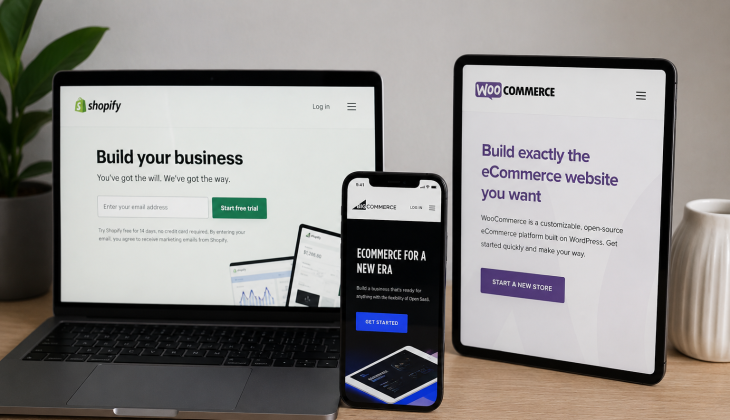
Picking the right ecommerce platform means the difference between launching in days and launching in weeks — and between paying $0 in transaction fees and paying thousands as your store scales. The ecommerce platform you choose isn’t just a technical decision; it directly shapes your revenue, your costs, and how fast you can adapt to what customers actually want.
Key Takeaways
- •Shopify is the fastest ecommerce platform to launch on — with an out-of-box LCP of 2.1s, it outperforms BigCommerce (2.4s), WooCommerce (up to 6.5s), and Magento (3.8s)
- •WooCommerce offers the most payment gateway options and charges zero platform transaction fees, making it the most flexible ecommerce choice for payment customization
- •BigCommerce charges no transaction fees on any payment gateway — at $2.4M annual revenue, that saves you roughly $24,000 per year compared to Shopify’s 1% fee
- •The right ecommerce platform depends on your business type — not just features. New stores, content-led brands, and enterprise sellers each have a clear winner
- •Most ecommerce platform comparisons focus on features, not total cost of ownership — keep reading to find out which platform actually costs more as your store scales
Table of Contents
- The Platform You Pick Will Make or Break Your Store
- Shopify: The Fastest Way to Start Selling Online
- WooCommerce: Total Control With a Steeper Learning Curve
- BigCommerce: Built-In Enterprise Features Without the Enterprise Price
- Side-by-Side Feature Comparison
- Platform Speed in 2026: What the Data Shows
- Which Platform Wins on Total Cost of Ownership
- How Media Strobe Can Help
- Frequently Asked Questions
Choosing the wrong ecommerce platform doesn’t just slow you down — it costs you real money in lost conversions, transaction fees, and painful migrations later. An ecommerce platform comparison between the major options reveals stark differences in speed, pricing, and feature depth that compound dramatically over time.
The Platform You Pick Will Make or Break Your Store
Why This Decision Affects Revenue, Not Just Tech
Page speed alone is a revenue lever. A one-second delay in load time can drop your conversion rate significantly, and platform choice is the single biggest factor in how fast your store loads out of the box. Shopify’s managed architecture delivers a 2.1s LCP with zero configuration. WooCommerce on a poorly optimized host can stretch to 6.5s LCP — that gap translates directly into abandoned carts.
Beyond speed, your platform determines your transaction costs, your checkout options, your SEO flexibility, and how much developer time you’ll need as you grow. These are not minor technical details. They compound over time. A merchant doing $2M in annual revenue on Shopify’s standard plan pays roughly $20,000 per year in transaction fees alone if they aren’t using Shopify Payments. That same merchant on BigCommerce pays zero.
What Most Ecommerce Platform Comparison Guides Get Wrong
Most guides rank platforms by feature count. That’s the wrong lens. The better question is: which platform gets you selling fastest, keeps costs predictable as you scale, and doesn’t require a development team to maintain? The merchants who agonize over platform choice for six months are often being lapped by competitors who launched on Shopify in week two and spent the remaining time actually acquiring customers.
This ecommerce platform comparison cuts through the noise. It uses real 2026 speed benchmarks, actual pricing at scale, and clear use-case guidance so you can make the decision in one sitting and move on to building your business.
Shopify: The Fastest Way to Start Selling Online
Shopify is the go-to platform for entrepreneurs who want to launch fast, sell immediately, and not think about servers, plugins, or hosting configurations. It is a fully managed SaaS platform, which means Shopify handles the infrastructure so you focus entirely on selling.
What Shopify Does Better Than Any Other Platform
Shopify’s managed architecture is the core advantage. Because the platform controls everything from hosting to caching to CDN delivery, it consistently delivers performance that self-hosted platforms simply can’t match out of the box. But speed is just the beginning.
Shopify’s Competitive Advantages
- →Out-of-box LCP of 2.1 seconds — fastest among all major platforms in 2026 benchmarks
- →72% Core Web Vitals pass rate on Shopify Plus, the highest of any SaaS ecommerce platform
- →Over 100 payment gateway integrations with a streamlined checkout experience
- →Built-in fraud analysis, inventory tracking, and multi-channel selling across social, marketplaces, and in-person POS
- →App ecosystem with thousands of integrations covering everything from email marketing to advanced analytics
- →No server management, no hosting decisions, no caching plugins — it just works
The platform’s simplicity is a genuine competitive advantage for new merchants. You can go from zero to a fully functional store in days, not weeks. The trade-off is less flexibility — Shopify controls the infrastructure, and that means you can’t make the deep server-level optimizations that WooCommerce allows.
Shopify Pricing Plans and What You Actually Get
Shopify’s pricing starts at $39/month for the Basic plan, $105/month for Shopify, and $399/month for Advanced. Shopify Plus, the enterprise tier, starts at $2,300/month. Each tier reduces transaction fees and unlocks additional staff accounts, reporting features, and shipping discounts. The Advanced plan includes third-party calculated shipping rates and advanced report building — two features that matter a lot at scale.
The Real Cost of Shopify’s Transaction Fees
At $2.4M in annual revenue on Shopify’s standard plan, that’s $24,000 per year going straight to Shopify in transaction fees alone
Here’s where Shopify’s true cost reveals itself. If you use any payment gateway other than Shopify Payments, the platform charges an additional transaction fee: 2% on Basic, 1% on Shopify, and 0.5% on Advanced. At $2.4M in annual revenue on the standard Shopify plan, that’s $24,000 per year going straight to Shopify on top of your payment processor fees. Using Shopify Payments eliminates this fee, but it’s only available in select countries — a real limitation for international merchants.
When Shopify Is Not the Right Choice
Shopify struggles when you need deep content integration, total database ownership, or highly customized checkout flows without paying for Shopify Plus. If your business model is content-first — think editorial commerce or affiliate-heavy blogs that sell products — WooCommerce’s native WordPress integration will serve you far better. Shopify is also not ideal for merchants in countries where Shopify Payments isn’t available and transaction fees become an unavoidable cost of doing business.
WooCommerce: Total Control With a Steeper Learning Curve
WooCommerce is not a standalone platform — it’s a plugin that transforms a WordPress website into a fully functional online store. That distinction matters enormously. It means you own everything: your data, your server, your checkout, your entire tech stack. With that ownership comes flexibility that no SaaS platform can match, and complexity that not every merchant is ready for.
Why WooCommerce Powers More Stores Than Any Other Platform
WooCommerce’s dominance comes from its foundation on WordPress, which powers a massive share of the entire web. The plugin itself is free, the ecosystem is enormous, and there is virtually no limit to what you can build. More payment gateways are supported by WooCommerce than any other platform on this list, and none of them carry additional platform-level transaction fees. If a payment processor has a WooCommerce integration, you can use it — full stop.
The True Cost of WooCommerce (It Is Not Free)
WooCommerce is free to install, but that number is misleading. Your real costs include managed WordPress hosting (typically $30–$100+/month for a production store), premium plugins for features like subscriptions, bookings, or advanced product filtering, an SSL certificate, a premium theme, and — unless you’re technically capable — developer time for setup and maintenance. A properly built WooCommerce store can easily run $100–$300/month in ongoing infrastructure costs before you sell a single product.
Who Should Actually Use WooCommerce
WooCommerce is the right call if you’re already on WordPress, if your store is content-led, or if you need customizations that Shopify’s closed architecture won’t allow. It’s also the strongest choice for merchants who need maximum payment gateway flexibility or who operate in markets where Shopify Payments isn’t available. The caveat is clear: you need either technical skills or a budget for a developer. If you have neither, WooCommerce’s learning curve will slow you down more than it helps you.
BigCommerce: Built-In Enterprise Features Without the Enterprise Price
BigCommerce sits in an interesting position in the 2026 ecommerce landscape. It’s a SaaS platform like Shopify, but it leans harder into built-in features, charges no transaction fees on any payment gateway, and targets merchants who are scaling aggressively or operating in B2B contexts.
The platform’s out-of-box LCP of 2.4 seconds puts it second behind Shopify in speed benchmarks, but its optimized performance (1.8–2.2s LCP) closes that gap considerably. Where BigCommerce really separates itself is in what’s included at the base level — multi-currency support, faceted search, professional reporting, and built-in B2B tools that would require paid apps on Shopify.
BigCommerce’s Competitive Advantages
- →Zero transaction fees on all payment gateways — a major advantage at high revenue volumes
- →Out-of-box LCP of 2.4s, optimizing to 1.8–2.2s with configuration
- →Built-in enterprise SEO features including customizable URL structures, automatic sitemaps, and schema markup
- →Native B2B functionality including customer group pricing, quote management, and bulk order tools
- →No mobile app for store management — a genuine operational limitation for mobile-first entrepreneurs
- →Limited theme selection compared to Shopify and WooCommerce
Why BigCommerce Charges Zero Transaction Fees
BigCommerce made a deliberate strategic decision to never charge transaction fees on any payment gateway. This isn’t a promotional feature — it’s baked into the platform’s core business model. BigCommerce makes money from subscription plans, not from a percentage of your sales. That one decision changes the total cost equation dramatically as your revenue grows.
At $2.4M in annual revenue, switching from Shopify’s standard plan (1% transaction fee) to BigCommerce saves you approximately $24,000 per year. That’s money that goes back into your ad budget, your inventory, or your team — not to your platform provider. At lower revenue volumes the difference is smaller, but the principle remains: BigCommerce’s cost structure becomes more favorable the more you sell.
The only fee-related catch with BigCommerce is its annual sales thresholds. Each pricing plan has a revenue cap — once you exceed it, BigCommerce automatically upgrades your plan. The Standard plan caps at $50K/year, the Plus plan at $180K/year, and the Pro plan at $400K/year. Exceeding these thresholds triggers an automatic plan upgrade, which can feel like a surprise cost if you’re not tracking it.
BigCommerce SEO Features That Beat the Competition
BigCommerce’s SEO toolkit is genuinely impressive at the base tier. Fully customizable URL structures, automatic XML sitemaps, built-in schema markup, and canonical URL tags are all included without plugins or add-ons. For merchants who rely on organic search traffic, this matters — you’re not paying extra for features that Shopify often requires third-party apps to deliver.
The platform also handles faceted search in a way that avoids the duplicate content issues that plague many WooCommerce stores using filter plugins. BigCommerce’s built-in faceted search generates clean, crawlable URLs with proper canonical tags — something SEO-focused merchants will appreciate immediately.
Where BigCommerce Falls Short for Smaller Stores
BigCommerce’s interface has a learning curve that can frustrate first-time merchants. The dashboard is more complex than Shopify’s, there’s no mobile app for managing your store on the go, and the theme marketplace is noticeably smaller than what Shopify and WooCommerce offer. For a merchant just starting out, these friction points can slow down an already challenging launch process. BigCommerce is best approached as a scaling platform — it rewards merchants who have already figured out their product-market fit and need enterprise features without enterprise pricing.
Side-by-Side Feature Comparison: What Each Platform Actually Offers
Features on paper rarely tell the full story, but a direct comparison cuts through the marketing language fast. Here’s how Shopify, WooCommerce, and BigCommerce stack up across the dimensions that actually move the needle for ecommerce merchants in 2026.
Ease of Use and Setup Time
| Platform | Setup Time | Technical Skill Required | Mobile Management |
|---|---|---|---|
| Shopify | Days | None | Yes (iOS & Android app) |
| WooCommerce | Weeks | Moderate to High | Limited |
| BigCommerce | Days to Weeks | Low to Moderate | No mobile app |
Shopify is the clear winner on ease of use. The onboarding flow is designed for non-technical founders, with guided setup, a drag-and-drop store builder, and a theme editor that requires zero coding knowledge. You can have a product listed, a payment gateway connected, and a domain pointed in a single afternoon.
WooCommerce demands more from you upfront. You need a WordPress install, a compatible hosting environment, WooCommerce configured, a theme selected and customized, and SSL active before you can even think about adding products. For merchants without a WordPress background, that setup process can stretch into weeks and often requires outside help.
BigCommerce lands in the middle. The SaaS architecture removes hosting complexity, but the interface itself is denser than Shopify’s. Merchants coming from no prior ecommerce experience will find the dashboard less intuitive, though the platform’s built-in feature depth means fewer apps to configure once you’re up and running.
Payment Gateways and Checkout Options
WooCommerce supports the widest range of payment gateways of the three platforms — and charges zero platform-level transaction fees on all of them. Shopify supports over 100 gateways but penalizes you for not using Shopify Payments with fees ranging from 0.5% to 2%. BigCommerce also charges zero transaction fees and supports a strong range of payment integrations, though its gateway selection is more limited than Shopify and WooCommerce. If payment flexibility is a priority — especially for international merchants — WooCommerce is the strongest option, with BigCommerce as a close second for merchants who want a SaaS solution without the fee penalty.
SEO Capability and Content Tools
SEO capability separates these platforms in ways that compound over months and years. WooCommerce, running on WordPress, has the most powerful content and SEO foundation of the three. WordPress’s native blogging engine, combined with plugins like Yoast SEO or Rank Math, gives merchants granular control over every on-page SEO element. For those looking to enhance their strategy, exploring eCommerce multicasting strategies can provide valuable insights into boosting traffic and sales results.
Shopify has improved its SEO significantly in recent years, but it still has structural limitations — notably the forced /collections/ and /products/ URL structure that can’t be modified. For merchants running large catalogs or heavy content strategies, that inflexibility can create SEO challenges that require workarounds. Learn more about how to get your eCommerce products to show up in search.
SEO Platform Rankings
WooCommerce: Best SEO foundation — full URL control, native WordPress blogging, plugin ecosystem for advanced optimization
BigCommerce: Strong built-in SEO tools including schema markup, canonical tags, and clean faceted search URLs — no plugins needed
Shopify: Good baseline SEO with improving tools, but limited URL customization and content features that require apps to match WooCommerce
For content-led stores where organic traffic is a primary acquisition channel, WooCommerce wins this category decisively. For merchants who want solid SEO without managing plugins, BigCommerce’s built-in toolkit is genuinely competitive.
Sales Features and Inventory Management
Shopify’s built-in sales features are the most polished of the three platforms. Multi-channel selling across Instagram, TikTok, Amazon, and in-person POS is natively integrated. Inventory management handles variants, bundles, and location-based stock tracking without additional apps. The abandoned cart recovery, discount engine, and gift card system are all included from the Basic plan upward.
BigCommerce matches Shopify on most sales features and exceeds it on B2B-specific tools. Customer group pricing, quote management, bulk ordering, and custom price lists are built in — features that would require expensive Shopify Plus customizations or third-party apps on a standard Shopify plan. WooCommerce can match both platforms through plugins, but each added plugin increases maintenance overhead and introduces potential compatibility issues as the platform updates.
Scalability and Performance at High Traffic
Shopify and BigCommerce both handle traffic spikes without merchant intervention — SaaS infrastructure scales automatically. During peak periods like Black Friday, Shopify’s managed CDN and server infrastructure absorb demand without requiring you to upgrade hosting or configure caching. WooCommerce’s scalability is entirely dependent on your hosting environment. On a poorly configured host, a traffic spike can crash your store entirely. On a properly configured managed WordPress host with full-page caching and a CDN, WooCommerce can scale effectively — but that configuration requires expertise and ongoing maintenance.
At the enterprise level, Shopify Plus and BigCommerce Enterprise both offer dedicated infrastructure, custom SLAs, and advanced API access for headless commerce builds. BigCommerce Enterprise is noted for stronger headless API capabilities, making it a preferred choice for merchants building custom frontends on frameworks like Next.js or Gatsby while using the platform as a backend commerce engine.
Platform Speed in 2026: What the Data Shows
Speed is not a nice-to-have in 2026 — it is a direct revenue driver. Google’s Core Web Vitals are an established ranking signal, and the relationship between page load time and conversion rate is well-documented across the ecommerce industry. The platform you choose sets your performance ceiling before you write a single line of custom code or install a single app.
The 2026 speed benchmarks across the major platforms tell a clear story. Out-of-box, Shopify leads with a 2.1s LCP, followed by BigCommerce at 2.4s, WooCommerce ranging from 2.8s to 6.5s depending on hosting and configuration, and Magento at 3.8s. Those numbers flip significantly when platforms are fully optimized by technical teams — WooCommerce can reach 0.8–1.2s LCP on optimized infrastructure, and Magento with Hyvä theme achieves 1.2–1.6s LCP.
Shopify Loads in 2.1s LCP vs Magento at 3.8s LCP Out of the Box
The 1.7-second gap between Shopify and Magento out of the box is significant for any merchant who doesn’t have a development team actively optimizing their storefront. Shopify’s managed architecture — including its global CDN, automatic image optimization, and built-in caching — delivers that 2.1s LCP without any configuration. Magento’s 3.8s LCP is the starting point before a developer even touches the codebase.
The 1.7-second gap between Shopify and Magento out of the box is significant for any merchant who doesn’t have a development team actively optimizing their storefront. Shopify’s managed architecture — including its global CDN, automatic image optimization, and built-in caching — delivers that 2.1s LCP without any configuration. Magento’s 3.8s LCP is the starting point before a developer even touches the codebase. For bootstrapped merchants or small teams, that gap is essentially permanent unless they invest heavily in technical optimization. For more insights on improving conversion rates, check out this Shopify conversion comparison.
How Page Speed Directly Impacts Your Conversion Rate
The connection between load speed and conversion rate is not theoretical. Slower pages mean higher bounce rates, lower engagement, and fewer completed purchases. Google’s own research has consistently shown that as page load time increases, the probability of a user bouncing increases sharply. For ecommerce stores where the average order value might be $60–$150, even a fraction of a percentage point improvement in conversion rate translates to thousands of dollars in additional monthly revenue.
Shopify’s 72% Core Web Vitals pass rate on Shopify Plus is the highest reported figure among SaaS ecommerce platforms in 2026 benchmarks. That means nearly three quarters of Shopify Plus storefronts are meeting Google’s performance thresholds — a meaningful advantage in organic search visibility compared to platforms with lower pass rates.
Out-of-Box Speed vs Optimized Speed: The Gap That Matters
The out-of-box vs optimized speed gap tells you how much performance headroom a platform actually has — and how much technical investment is required to unlock it. WooCommerce has the widest gap: 2.8–6.5s out-of-box versus 0.8–1.2s fully optimized. That’s extraordinary performance potential, but it requires expert-level server configuration, caching setup, image optimization, and ongoing maintenance. Shopify’s gap is narrower — 2.1s out-of-box versus 1.5–1.8s optimized — because the managed architecture already handles most optimizations automatically. For merchants without technical resources, Shopify’s narrower gap is a genuine advantage. For merchants with strong development teams chasing maximum performance, WooCommerce’s ceiling is unmatched.
2026 eCommerce Platform Speed Benchmarks
| Platform | Out-of-Box LCP | Optimized LCP | Performance Gap |
|---|---|---|---|
| Shopify | 2.1s | 1.5–1.8s | Narrow (managed) |
| BigCommerce | 2.4s | 1.8–2.2s | Moderate |
| WooCommerce | 2.8–6.5s | 0.8–1.2s | Wide (custom required) |
| Magento | 3.8s | 1.2–1.6s | Wide (requires Hyvä) |
Which Platform Wins on Total Cost of Ownership
Sticker price is the wrong number to compare when evaluating ecommerce platforms. The number that matters is total cost of ownership — what you actually spend across platform fees, transaction fees, apps, hosting, developer time, and ongoing maintenance over a 12 to 24 month period. When you run that full calculation, the platform rankings often look very different from what the monthly pricing pages suggest.
Shopify Total Cost at Scale
Shopify’s monthly plan fees are predictable, but transaction fees are where the real cost accumulates. A merchant on the standard Shopify plan doing $1M annually pays $10,000 in transaction fees if they’re not using Shopify Payments — that’s before app subscriptions, theme costs, or developer work. The Advanced plan at $399/month reduces that fee to 0.5%, which helps at higher volumes, but by the time you’re generating revenue where that matters, you’re likely already evaluating Shopify Plus.
Add in the average Shopify app stack — email marketing, reviews, upsells, subscriptions, advanced reporting — and it’s realistic to spend $300–$800/month in app fees on top of your plan cost. A fully operational Shopify store at scale often runs $800–$1,500/month in platform-related costs excluding transaction fees. That’s not a reason to avoid Shopify, but it’s a number every merchant should budget for honestly before they commit.
WooCommerce Hidden Costs Most Merchants Miss
WooCommerce’s “free” label disappears quickly once you start building a real store. Managed WordPress hosting from a provider like WP Engine or Kinsta runs $35–$100/month at the entry level and scales up significantly under high traffic. Premium plugins for subscriptions (WooCommerce Subscriptions: ~$279/year), advanced product filtering, dynamic pricing, or membership features each carry annual license fees. A production-ready WooCommerce store with a proper plugin stack, managed hosting, a premium theme, and periodic developer maintenance can realistically cost $200–$500/month — comparable to Shopify’s mid-tier total cost, but with substantially more time invested in management and upkeep.
BigCommerce Pricing as Your Catalog Grows
BigCommerce’s pricing structure is straightforward until you hit the annual revenue thresholds that trigger automatic plan upgrades. The Standard plan ($39/month) caps at $50K annual revenue. The Plus plan ($105/month) caps at $180K. The Pro plan ($399/month) caps at $400K. Once you exceed these thresholds, BigCommerce upgrades your plan automatically — which means your platform cost can increase without a deliberate decision on your part. The offset is zero transaction fees at every tier, which at high revenue volumes more than compensates for the higher plan cost. For merchants processing $400K+ annually, the Pro plan’s total cost is often lower than a comparable Shopify setup once transaction fees are factored in.
12-Month Total Cost of Ownership Comparison
Shopify (Standard Plan @ $1M annual revenue): $105/month (plan) + ~$100/month (apps) + $10,000/year (transaction fees) = ~$11,400/year
WooCommerce (production setup): $60/month (hosting) + ~$100/month (plugin subscriptions) + $100/month (maintenance) = ~$3,120/year + variable dev time
BigCommerce (Pro Plan @ $1M annual revenue): $399/month (plan) + ~$50/month (apps) + $0 (transaction fees) = ~$5,388/year
How Media Strobe Can Help
MultiCast Campaigns: Amplifying Your eCommerce Visibility Across the Web
Your ecommerce platform choice handles your store’s backend, but getting customers to your store in the first place requires a different strategy entirely. Media Strobe’s MultiCast campaign technology solves this problem by distributing your high-value content about your products and services to hundreds of high-authority websites — automatically synced to appear exactly as Google and AI search engines prefer to see them.
All MultiCast campaigns are expertly created to answer highly relevant questions about your service or product that your future customers are asking all over the internet before they make a purchase decision. Your MultiCast is distributed to hundreds of high authority sites in the exact way that Google and AI love, and in 8 formats so that your answers show up everywhere people are asking questions.
The Benefits of Running a MultiCast Campaign:
- •Increased visibility (leading to increased ranking)
- •Increased warm/hot traffic
- •Reduced customer acquisition costs
- •Predictable growth that can be scaled
- •Generate more revenue with higher net profit
- •True control over your lead generation
- •Better return on paid ads
The Right Platform for Your Specific Business Type
No platform wins universally. The right choice depends almost entirely on where your business is today, where you’re going in the next 24 months, and what resources — technical, financial, and operational — you have available. Getting this match right from the start avoids a costly platform migration later.
Platform migrations are painful. Moving a store with thousands of products, customer data, order history, and SEO-optimized URLs from one platform to another is a multi-week project that typically costs thousands of dollars in developer time and risks temporary ranking drops if URL structures change. Choosing the right platform on day one is always cheaper than migrating after you’ve scaled.
Best Platform for New Stores Launching in 2026
Verdict: Shopify
Launch speed, reliability, and zero technical overhead make Shopify the strongest choice for new merchants. You’re selling within days, not weeks — and every day you’re not selling is a day you’re not learning what your customers actually want.
The biggest mistake new ecommerce merchants make is optimizing their platform decision instead of their customer acquisition strategy. Shopify removes every technical barrier between you and your first sale. The platform’s guided onboarding, built-in payment processing via Shopify Payments, and curated app ecosystem mean you’re making product and marketing decisions immediately — not configuring servers or debugging plugin conflicts.
For new stores in particular, the out-of-box speed advantage matters. Shopify’s 2.1s LCP with zero configuration means your store loads fast for customers from day one, without a developer touching your setup. That translates to better ad performance, higher Quality Scores on Google Ads, and a better first impression for every visitor who lands on your store.
The transaction fee concern is real but manageable at low volumes. A new store doing $5,000/month in revenue pays $50 in transaction fees on the standard plan — a reasonable cost of entry for the speed and reliability Shopify provides. As volume grows and the fee becomes more significant, the calculus shifts, but at launch stage it’s not a deciding factor.
New merchants should start on Shopify’s Basic plan at $39/month, use Shopify Payments to eliminate transaction fees where available, and focus every other dollar and hour on product development and customer acquisition. The platform will not be your bottleneck.
Best Platform for Content-Led Stores and Bloggers
If your store leads with content — editorial articles, SEO-driven buying guides, a blog that drives organic traffic to product pages — WooCommerce on WordPress is the clear winner. WordPress’s native content management system is more powerful than anything Shopify or BigCommerce offer, and the SEO plugin ecosystem (Yoast SEO, Rank Math, All in One SEO) gives you granular control over every on-page element that influences search rankings.
The integration between content and commerce is seamless on WooCommerce in a way that feels bolted on with Shopify. Internal linking from editorial content to product pages, category pages optimized as content hubs, schema markup for both articles and products — these are native capabilities in the WordPress ecosystem that require workarounds or paid apps on other platforms.
The investment required is higher. You need a quality managed WordPress host, a well-configured SEO plugin, a developer for initial setup, and ongoing maintenance discipline. But for merchants whose entire growth strategy depends on organic search traffic, WooCommerce’s content and SEO ceiling is meaningfully higher than the alternatives.
Best Platform for High-Volume and Enterprise Sellers
At high revenue volumes — think $500K+ annually — the decision narrows to Shopify Plus and BigCommerce Enterprise, with the deciding factor being your fee sensitivity and B2B requirements. Shopify Plus at $2,300/month delivers the highest Core Web Vitals pass rate (72%), the most polished checkout customization via Shopify Functions, and the broadest multi-channel selling ecosystem. BigCommerce Enterprise counters with stronger headless commerce API capabilities, zero transaction fees at every volume level, and native B2B tools that Shopify Plus requires custom development to replicate. Merchants running pure DTC at scale will often prefer Shopify Plus. Merchants with B2B sales channels, complex pricing structures, or custom frontend builds will find BigCommerce Enterprise a more capable and cost-efficient foundation.
The Bottom Line: Shopify Wins on Ease, But Your Business Needs Decide Everything
Shopify is the best ecommerce platform for most merchants in 2026 — specifically because it removes every barrier between a founder and their first sale. But “most merchants” is not “all merchants.” WooCommerce is the right answer for content-led businesses that live and die by organic search. BigCommerce is the right answer for scaling merchants who are tired of paying transaction fees and need enterprise B2B features without enterprise-tier development costs. The platform you choose should match your current resources, your 24-month growth trajectory, and your honest assessment of the technical support you have available. Pick that platform, launch fast, and spend your energy where it actually compounds — on your customers.
Frequently Asked Questions
Below are the most common questions merchants ask when comparing Shopify, WooCommerce, and BigCommerce heading into 2026.
Is Shopify or WooCommerce Better for SEO in 2026?
WooCommerce is better for SEO in 2026, primarily because it runs on WordPress — the most powerful content management platform available. Full URL customization, native blogging with advanced editorial workflows, and a mature plugin ecosystem (Yoast SEO, Rank Math) give WooCommerce merchants more direct control over every SEO variable than Shopify allows. For more insights on how to optimize your eCommerce strategy, explore this guide on eCommerce products and search visibility in 2026.
Shopify has improved significantly and is perfectly capable for most merchants’ SEO needs, but it has structural limitations — the forced /products/ and /collections/ URL structure can’t be changed, and content capabilities require apps to match what WordPress does natively. For merchants where organic search is a primary growth channel, WooCommerce’s SEO ceiling is meaningfully higher.
Can You Switch From WooCommerce to Shopify Without Losing Data?
Yes, you can migrate from WooCommerce to Shopify without losing core data, but it requires careful planning. Shopify’s Store Importer app handles product data, customer records, and order history. The more complex challenge is URL structure — WooCommerce and Shopify use different URL formats, which means a migration without proper 301 redirects will cause SEO ranking drops. A clean migration with redirects, SEO preservation, and data validation typically requires developer involvement and should be budgeted as a 2–4 week project depending on catalog size.
Does BigCommerce Really Charge Zero Transaction Fees?
Yes. BigCommerce charges zero platform-level transaction fees on every payment gateway across all pricing plans. This is a core part of BigCommerce’s business model — the platform generates revenue from subscriptions, not from a percentage of your sales. For more insights on how to get your eCommerce store found online, explore strategies that align with BigCommerce’s approach.
The important distinction is between platform transaction fees and payment processor fees. BigCommerce doesn’t charge the former, but you still pay standard payment processor fees to Stripe, PayPal, or whichever gateway you use — typically 2.9% + $0.30 per transaction. That’s unavoidable regardless of which platform you’re on. What BigCommerce eliminates is the additional layer that Shopify adds on top of processor fees when you’re not using Shopify Payments.
Which eCommerce Platform Is Best for Beginners?
Shopify is the best ecommerce platform for beginners in 2026. The onboarding process is guided, the interface is intuitive, hosting and security are fully managed, and you can accept payments within hours of signing up. There is no hosting to configure, no plugins to maintain, and no server decisions to make — Shopify handles the infrastructure so a first-time merchant can focus entirely on products, pricing, and customers.
Is WooCommerce Free to Use?
The WooCommerce plugin itself is free to download and install. However, running a functional WooCommerce store involves real costs that add up quickly. You need paid WordPress hosting (typically $30–$100+/month for a production environment), an SSL certificate, and usually a premium theme and several paid plugins to replicate the features that Shopify includes by default.
For features like subscription billing, advanced product filtering, dynamic pricing rules, or membership access control, you’ll pay annual license fees for premium WooCommerce extensions — each typically ranging from $79 to $299 per year. A fully operational WooCommerce store with a complete plugin stack can realistically cost $150–$500/month depending on hosting tier and extension requirements.
Why Choose a MultiCast Campaign by Media Strobe?
All MultiCast campaigns are expertly created to answer highly relevant questions about your service or product that your future customers are asking all over the internet before they make their purchase decision. Your MultiCast is distributed to hundreds of high authority sites in the exact way that Google and AI love, and in 8 formats so that your answers show up everywhere people are asking questions. The benefits of running a MultiCast campaign are increased visibility (leading to increased ranking), increased warm/hot traffic, reduced customer acquisition costs, predictable growth that can be scaled, generate more revenue with higher net profit, true control over your lead generation, and better return on paid ads. Learn more about MultiCast campaigns.