E-commerce SEO · Product Data · Google Shopping · 2026 Guide
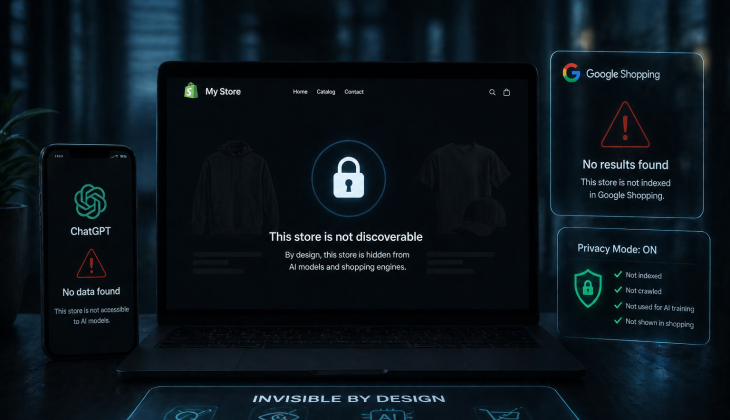
Your store is “invisible” to ChatGPT and Google Shopping because, behind the scenes, they literally cannot read your products properly. 99.7% of stores have simple technical mistakes in their product data and schema, so AI and Google either skip them or trust them less. Fixing a few buried settings in your platform is usually all it takes to “switch on” visibility and start getting recommended for free.
Key Takeaways (for a Busy Store Owner)
- You’re probably leaking 10–50%+ of free buyer traffic every month because your product data is misconfigured, not because you “suck at SEO” or don’t run ads
- The problem is almost never your hustle; it’s that your Google Merchant Center feed, schema, and reviews are broken or incomplete, so Google Shopping and ChatGPT don’t understand your catalog
- The fix is a one-time setup, costs you $0 in ad spend, and mostly involves filling out existing fields (GTIN, brand, price, availability, etc.) that your platform already has
- Agencies routinely sell this as a $5,000–$10,000 “AI/SEO audit”, but 90% of what they pitch is theory and fluff you don’t need
- Once the foundation is fixed, every product you publish, every blog you write, and every campaign you run performs better because AI and Google actually know what you sell
Table of Contents
- Why Your Store is Invisible to ChatGPT and Google Shopping
- The Single Setup That Unlocks 10–50% More Organic Buyer Traffic
- The 6 Silent Errors That Keep You Hidden
- Why Agencies Don’t Want You to Know This
- The Practical “Minimum Effort” Setup for Busy Store Owners
- How This Compounds Every Month
- How Media Strobe Can Help
- Frequently Asked Questions
Why Your Store is Invisible to ChatGPT and Google Shopping
You can think of ChatGPT, Google Shopping, and Google’s AI Overviews as ultra-fast, picky shoppers that only recommend products they fully understand and trust. If your product data is misconfigured, incomplete, or mis-tagged, they quietly move on to competitors who did the basics correctly.
From large-scale audits across thousands of products, we know that most platforms (Shopify, WooCommerce, Magento, BigCommerce, etc.) are capable of sending perfect data—but stores rarely configure them properly. In those audits, almost every store had at least one critical issue that directly blocked visibility in Google Shopping and AI results.
The Real Bottleneck: When you hear “AI SEO,” “AEO,” or fancy audits, most of the work sold is noise: big reports, long lists of “issues,” and very little tied to actual results. The real bottleneck is simple: Google and AI can’t clearly identify what each product is, whether it’s in stock, how it’s priced, and whether real humans like it.
The Single Setup That Unlocks 10–50% More Organic Buyer Traffic
Here’s the good news: you do not need another channel, another ad platform, or another 10-hour SEO course. You need one tight setup that gets three foundations right:
The Three Foundations of Product Data Optimization for E-commerce
1. Clean Merchant Feed
Your product data needs to flow into Google Merchant Center with zero critical errors. That’s what Google Shopping and a huge chunk of AI shopping results rely on.
2. Correct Product Schema (structured data)
Your store has to use structured data to label things like title, price, image, availability, brand, and reviews in a way machines understand.
3. Real Reviews, correctly wired into Google
You need genuine reviews with proper “aggregate rating” schema so your stars and user feedback actually get ingested by Google and AI.
Once those three are in place, you’re effectively telling AI and Google: “This is exactly what I sell, these are my products, here’s proof customers like them—now send me qualified shoppers.”
For most stores, this one-time cleanup is enough to add an extra 10–50% or more organic buyer traffic over time, without touching your ad budget. Understanding strategic marketing approaches can amplify these technical foundations even further.
The 6 Silent Errors That Keep You Hidden
Most stores are held back by the same recurring issues. Here are the big six that quietly make you invisible:
| Error Type | Impact on Visibility | Quick Fix |
|---|---|---|
| No GTINs/Barcodes | Products shown less or not at all | Fill “Product Inventory Barcode” field |
| Invalid/Incomplete Schema | AI has to guess, confidence low | Install proper schema plugin |
| Manufacturer Boilerplate Descriptions | Look like every other reseller | 150-word unique description |
| Missing Price/Availability | Hiding key commercial signals | Enable in structured data fields |
| Missing Brand Info | Products less likely surfaced | Add brand and model fields |
| Low-Quality Images | Blocks/downgrades Shopping listings | Use 800×800px minimum |
No GTINs / Barcodes
GTINs (barcodes) are how Google, Shopping engines, and AI uniquely identify products. If you resell other brands and don’t include their GTINs, your listings are less trusted and often shown less—or not at all.
On Shopify, there’s literally a field called Product Inventory Barcode where this goes; fill it in and you’ve solved a huge piece of the puzzle.
Invalid or Incomplete Schema Markup
Without proper schema, a computer has to guess what’s the title, price, or image. That guesswork costs you visibility because confidence is low.
With schema, you explicitly tag: “this is the product name, this is the price, this is the image, this is the review rating,” and AI can trust and recommend it.
Repeated / Manufacturer Boilerplate Product Descriptions
Copy-pasting the manufacturer’s text means you look like every other reseller. Google and AI have no reason to pick you. A short, unique 150-word description that clearly explains what it is and who it’s for is enough to stand out.
Missing Price or Availability in Structured Fields
If your price and “in stock / out of stock” status aren’t in the structured data, you’re basically hiding the two most important commercial signals.
Missing Brand Info in Product Data
Brand names and model IDs are how AI treats products as distinct entities it can recommend and talk about. If a product doesn’t have a recognizable brand and specific name, it’s much less likely to be surfaced.
Images That Don’t Meet Google Shopping Specs
Low-resolution, tiny, or incorrectly formatted images can block or downgrade your listings in Google Shopping. You want clean images at least 800×800 pixels across your catalog.
Each of these is usually just a settings change, a missing field, or a quick CSV update—not a six-month consulting project.
Why Agencies Don’t Want You to Know This
There’s a standard scammy playbook the industry runs:
The Standard Agency Playbook
- Run your domain through a tool, print a huge list of “issues,” then charge $1,000–$2,000 for the report and another $5,000–$10,000 to “fix” everything
- Fill the report with low-value tasks (FAQ schema, “entity SEO” on every page, keyword density targets, llms.txt, robots.txt for AI, etc.) that don’t move the needle
- Brand it as “AEO,” “AI SEO,” or “advanced schema” to make it sound cutting-edge and justify big retainers
One client spent $30,000 on an SEO agency and walked away with 20 blog posts that didn’t rank and technical work done incorrectly. That’s the reality you’re up against as a busy operator.
The Painful Truth: 90% of what’s being sold as advanced AI/SEO is either outdated, unnecessary, or flat-out made up. The value is in doing the boring, foundational tasks correctly once.
The Practical “Minimum Effort” Setup for Busy Store Owners
Here’s the leanest path that respects your time and keeps this out of “never-ending project” territory.
1. Turn on Google Merchant Center the Right Way
If you’re on Shopify:
- Install the free official “Google & YouTube” app from the Shopify app store
- Connect it to a Google account that belongs to your brand, not someone’s personal Gmail
- Create and connect your Google Merchant Center account so your inventory and pricing flow in automatically
- Check the diagnostics in Merchant Center and fix any critical errors it shows
Every major e-commerce platform has a simple connector into Merchant Center for this reason—it’s foundational.
| Platform | Schema Plugin | Reviews App |
|---|---|---|
| Shopify | JSON-LD for SEO | judge.me, Okendo, Yotpo |
| WooCommerce | Schema / Rank Math Pro | WooCommerce Reviews |
| Magento | MageFan Schema Markup Pro | Magento Review Extensions |
| BigCommerce | JSON-LD schema app | BigCommerce Reviews |
2. Fix Your Schema Once, with the Right Plugin
Pick one lightweight plugin per platform to handle schema:
- Shopify: JSON-LD for SEO
- WooCommerce: Schema / Rank Math Pro
- Magento: MageFan Schema Markup Pro
- BigCommerce: JSON-LD schema app
Install, connect it to your existing product data, and make sure it populates the fields that actually matter: description, price, currency, availability, brand, ratings, GTIN, shipping, and returns.
3. Wire Real Reviews into Google
Install a reviews app that correctly passes aggregate ratings to Google:
- judge.me, Okendo, or Yotpo, depending on your budget and platform
Once connected, your star ratings and review content become part of your structured data, feeding Google Shopping and AI with social proof they can show in results.
This is a 5-minute install job in Shopify—no coding needed.
4. Clean Up Titles and Descriptions with AI (in Bulk)
If you have dozens or thousands of products, you’re not going to hand-write everything. Use AI plus CSV to do it fast:
4-Step Bulk Description Update Process
- Export your product catalog as a CSV
- In Google Sheets or Excel with AI, generate improved descriptions with a simple formula based on product name + existing description
- Aim for 150+ words, clear first sentence, and concrete specs—no hype, no keyword stuffing
- Re-import the updated CSV back into your platform
What used to be 5,000 manual descriptions becomes a 10–20 minute job with a single prompt and a drag-down formula.
How This Compounds Every Month
Once your Merchant Center feed, schema, GTINs, and reviews are fixed, something powerful happens:
- Google and AI actually understand what you sell and who it’s for
- ChatGPT’s shopping carousel, Google Shopping, and AI Overviews can safely recommend your products because the data is clean and trustworthy
- Every new product you publish and every blog post you add sits on a solid foundation, so it can perform 10–50% better than before
- You’re no longer stuck in the loop of “learn SEO vs. learn ads vs. write content.” You tweak the plumbing once, keep running your store, and let the algorithms do what they’re built to do: match qualified buyers to clearly defined products
From there, if you decide to invest in content distribution—press, social, video, podcasts—you’re doing it with the confidence that every piece of visibility has a clean path into Google Shopping and AI recommendation engines.
How Media Strobe Can Help
MultiCast Campaigns: Built for E-commerce Stores Ready to Scale
All MultiCast campaigns are expertly created to answer highly relevant questions about your service/product that your future customers are asking (all over the internet) before they make their purchase decision. Your MultiCast is distributed to hundreds of high authority sites IN THE EXACT WAY that Google and AI love, and in 8 formats so that your answers show up everywhere people are asking questions.
The benefits of running a MultiCast campaign are:
- Increased visibility (leading to increased ranking)
- Increased warm/hot traffic
- Reduced customer acquisition costs
- Predictable growth that can be scaled
- Generate more revenue with higher net profit
- True control over your lead generation
- Better return on paid ads
Frequently Asked Questions
How Long Does It Take to See Results from Fixing Product Data?
Most stores see initial improvements within 2-4 weeks after implementing proper product data optimization for e-commerce. Google Merchant Center typically begins showing corrected data within 48-72 hours, but full visibility in Shopping results and AI recommendations builds over 30-60 days as crawlers re-index your catalog and confidence scores increase.
Do I Need to Hire a Developer to Fix These Issues?
No. The fixes described—adding GTINs, installing schema plugins, connecting review apps, and updating product descriptions—are all admin-level tasks that store owners can complete themselves. Platforms like Shopify and WooCommerce specifically designed these features to be non-technical. The entire setup typically takes 3-6 hours of focused work, not months of development.
Will This Work for Dropshipping Stores?
Yes, but with one important caveat: you must have legitimate access to product GTINs and brand information from your suppliers. Dropshipping stores face the same visibility issues as traditional e-commerce—missing schema, incomplete product data, and poor descriptions. However, creating unique 150-word descriptions becomes even more critical for dropshippers since you’re competing against multiple stores selling identical products.
How Much Does It Cost to Implement This Setup?
The core setup costs $0-$200 depending on your platform and plugin choices. Google Merchant Center is free. Most schema plugins have free versions that work for small catalogs. Review apps like judge.me offer free tiers. The only potential costs are premium schema plugins ($50-$100 annually) or paid review apps ($15-$50 monthly) if you need advanced features. Compare this to the $5,000-$10,000 agencies charge for the same foundational work.
What If I Sell Products Without GTINs (Custom or Handmade Items)?
For custom, handmade, or white-label products without manufacturer GTINs, you can use the brand identifier “generic” or create your own SKU system. Google Merchant Center allows products without GTINs if you specify they’re custom goods. The key is being explicit in your product data—use detailed titles, clear brand attribution (even if the brand is your store name), and comprehensive descriptions that help AI understand what makes your product unique.
Why Choose a MultiCast Campaign by Media Strobe?
All MultiCast campaigns are expertly created to answer highly relevant questions about your service/product that your future customers are asking (all over the internet) before they make their purchase decision. Your MultiCast is distributed to hundreds of high authority sites IN THE EXACT WAY that Google and AI love, and in 8 formats so that your answers show up everywhere people are asking questions. The benefits of running a MultiCast campaign are: increased visibility (leading to increased ranking), increased warm/hot traffic, reduced customer acquisition costs, predictable growth that can be scaled, generate more revenue with higher net profit, true control over your lead generation, and better return on paid ads.